How to Work with a Personal Assistant: Delegation Steps
Learn how to work with a personal assistant: sort tasks, set decision rights, document preferences and measure payback to reclaim hours each week.
10 min read

It's 9:40 p.m. The pediatrician still needs a referral check, a vendor hasn't confirmed the repair window, and three inbox threads you meant to close before dinner are still open. You already have help, or you're about to get it, and the follow-ups are still sitting with you.
Handing off errands doesn't shrink that load if you still own the reminders, the exceptions, and the "did that get done?" loop. The way to work with a personal assistant is to run it as an operating system: a written intake, stored preferences, bounded authority, and a weekly count of open loops closed. Start with the work already on your plate this week.
Sorting Your Work by Judgment Before You Delegate
For seven days, write down every recurring admin task as it happens. Next to each one, note how often it repeats, how much judgment it needs, and what an hour of your time is worth if you spent it on a client or a billable block. That log is the sorting key, not a feeling that you're busy.
Task type | Examples | Judgment level | Delegate first? |
|---|---|---|---|
Calendar coordination | Booking, rescheduling, resolving conflicts | Low to medium | Yes |
Inbox triage | Sorting, flagging, drafting routine replies | Low | Yes |
Follow-up tracking | Open items, reminders, confirmations | Low | Yes |
Travel research | Flight, hotel and ground transport options | Medium | Yes, within stated budget |
Vendor comparison | Quotes, reviews, price checks | Medium | Yes, with a shortlist rule |
Household scheduling | Pediatrician visits, school forms, repair visits | Low to medium | Yes |
Errand and gift sourcing | Gifts, dry cleaning, personal shopping | Low | Yes |
Financial, legal, medical or tax decisions | Choosing an option, signing, interpreting results | High | No, keep with you or a qualified professional |
Calendar changes, inbox triage, and follow-up tracking go first. They repeat, and you can check the output in a minute. Vendor comparisons and travel research come next, once you set a shortlist rule such as three quotes, two reviews, and a price ceiling. Financial, legal, medical, and tax choices stay with you or a qualified professional. The Assistant team can research options and book the meeting around them.
Say a consultant logs 14 calendar changes, 9 vendor quotes, and 30 inbox threads in one week. On day one, calendar and inbox work moves. Quotes wait until a spending limit is written down. Order matters because early, checkable wins teach your standards, so later requests need fewer clarifying questions.
The U.S. Bureau of Labor Statistics put median pay for secretaries and administrative assistants at $48,310, or $23.23 per hour, in 2025, while the top 10% earned more than $77,720. Checklist execution and experienced judgment are not the same product. Highlight three rows from your log that match the Delegate first column and write them down as your first handoff list.
How to Hand Off Your First Request in Six Steps
Work from that sorted list. A delegation pipeline beats one-off messages: define the output, the deadline, and the escalation trigger, then track hours reclaimed, the share completed without clarification, and the rework rate. Skipping the written context creates delegation debt, where the same missing detail gets requested again next week.
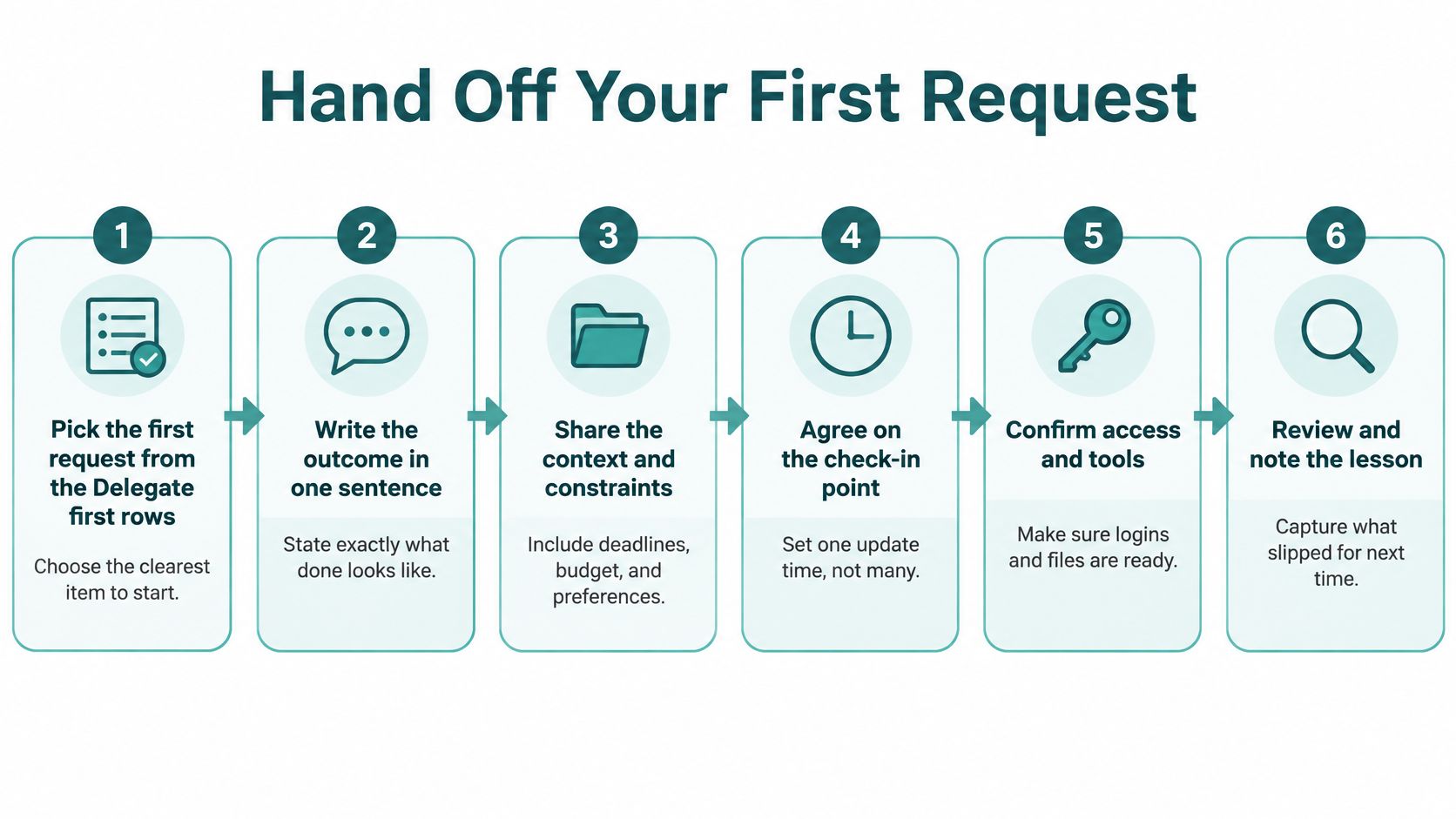
The six steps
- Pick one Delegate-first item. Choose the task that eats the most time and produces output you can check, not the one that merely annoys you. A vague "clean up my life" request can't be graded.
- Write seven fields. Use objective, context, deliverable, deadline, constraints, decision rights, and escalation condition. A workable request reads: book a dentist cleaning for one adult within two weeks, Tuesday or Thursday after 4 p.m., under $200 total, and text me if no slot works. A deadline of "soon" forces another round of questions.
- State what is already approved. Name what can happen without a check-in and what needs your sign-off. Bounded authority stops both silent overreach and a stream of "is this okay?" texts.
- Send it on the channel you already use. Call, text, and email reach the same team at equal priority, so you don't rebuild the request to fit a portal. Joining starts with a quick onboarding, and you can send that first request as soon as it finishes.
- Set one checkpoint. Ask for a status at the deadline or at a named trigger, such as "no slot under $200." A running commentary steals back the time you just handed off.
- Review on a set day and write the rule. Turn each clean result into a standing preference, such as "dentist only after 4 p.m." If you skip the review, the next request starts from zero.
Practical rule: If you can't describe "done" in one sentence, the request isn't ready to send.
Advisors who already record client calls can pair this handoff with call transcription tools for insurance advisors so a follow-up task pulled from a conversation lands in the same seven-field format instead of a half-remembered note. Send one request this week and check whether it closed without a clarifying question. If it didn't, the missing field is the lesson, not a reason to take the work back.
Documenting Preferences So Nobody Repeats Themselves
A one-page operating manual beats a long onboarding call that nobody can find later. You don't get one fixed person. Preferences and history stay with the account, so whoever picks up the next request already knows how you like things done. Build six categories and keep each one short enough to scan.
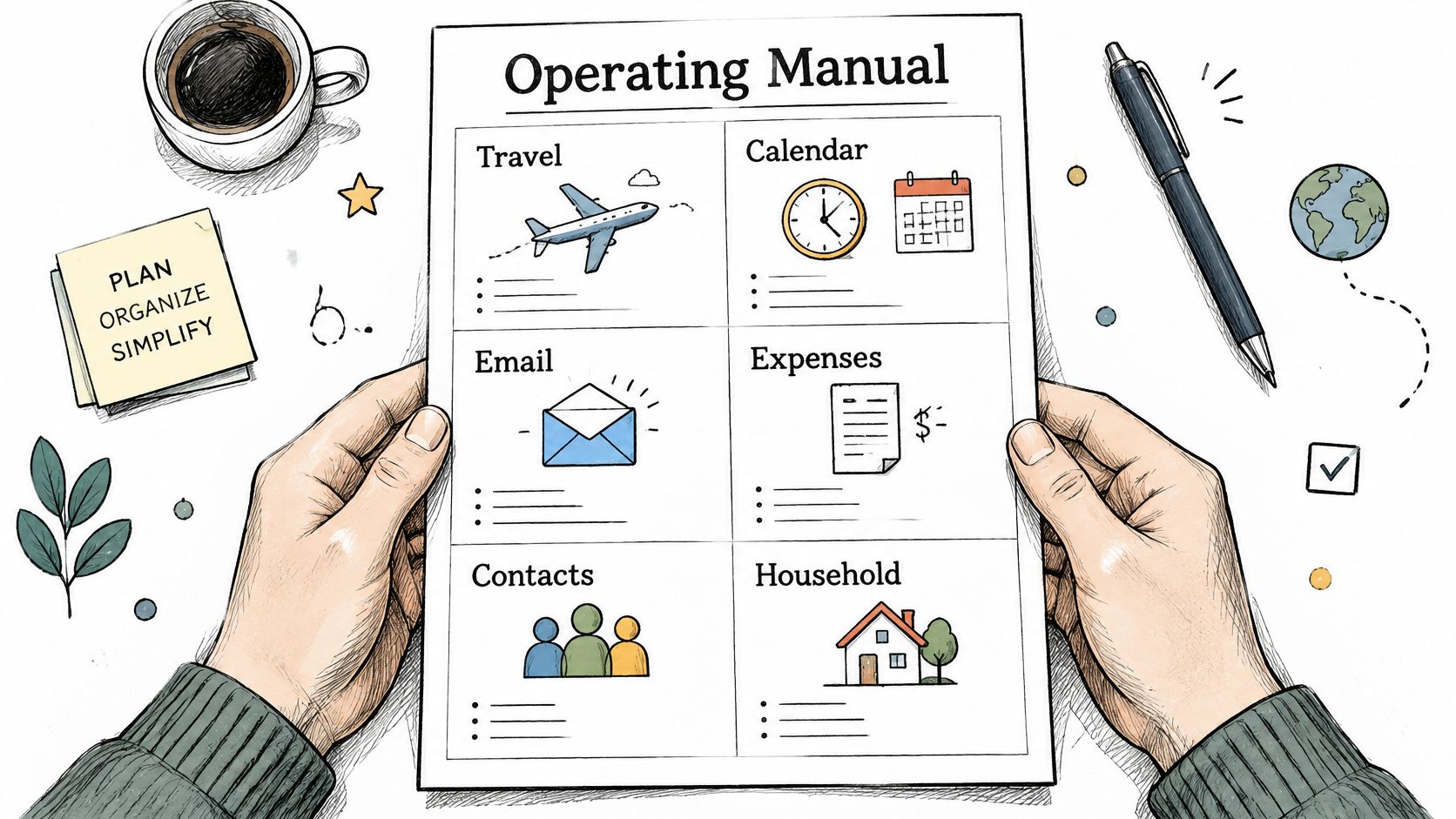
Six lines the team can act on
- Travel: Preferred airline, aisle seat, and a hotel standard such as "king bed, gym, no red-eyes." A founder who flies weekly writes "rebook the same cabin before you look at a cheaper overnight."
- Calendar: No meetings before 9 a.m., and a hard block for school pickup. If Tuesday 3:00 p.m. is protected, say so once.
- Household: Allergies, school names, and the pickup contact. "Peanut allergy, Lincoln Elementary, call Maya first" is enough.
- Spending: The amount that needs approval. Under that line, buying can proceed. Over it, stop and ask.
- Communication: Text for logistics, email for documents. Mixed channels create duplicate threads.
- Emergency: Who to reach if a child is sick during a work block, and in what order.
A dual-career parent might record pickup on Monday and Wednesday at 3:15 p.m., no red-eye flights, and any purchase over $300 needs approval first. That single page covers the next trip, the next school form, and the next vendor without a restatement.
Proactive Preference Learning only works if the page changes. A manual written once and ignored starts lying by month two. After each weekly exception review, add one line. When a result misses, such as a flight booked in the wrong cabin, write the correction the same day so the next booking inherits the fix.
Draft the six categories this week, share them during onboarding, and flag one rule to revisit next week.
If your intake still feels loose, these onboarding best practices show how to capture standards before the first live request, rather than correcting them after a bad booking.
Setting Decision Rights and Escalation Rules
Three levels cover every category: what the Assistant team may do without asking, what must be confirmed first, and what stays with you. Write the trigger in numbers or names, not "use judgment."
Decision type | Assistant may act | Confirm first | Keep with you |
|---|---|---|---|
Routine scheduling | Book, confirm and send reminders | Moving a fixed commitment | Cancelling a recurring obligation |
Spending | Buy within the agreed threshold | Purchases above the threshold | Large or irreversible purchases |
Vendor selection | Shortlist and compare quotes | Final choice of provider | Signing any contract |
Travel changes | Rebook within stated budget and cabin rules | Upgrades or fare changes above budget | Changes that alter plans for other family members |
Communications | Send scheduled confirmations and logistics notes | Messages on sensitive topics | Personal or conflict-related replies |
Triggers you can picture
A founder can authorize a flight rebook inside a $400 fare difference and still require a text before anything that moves a board meeting. Spending follows the threshold already on your manual: under it, buy; over it, pause. Vendor work stops at a shortlist. You pick the provider and you sign. Travel that only affects you can move inside cabin rules. A change that shifts a partner's or child's plan comes back to you.
Sensitive notes are the easy place to over-delegate. Logistics confirmations can go out. A reply that touches a conflict, a client complaint, or a family disagreement stays in your voice.
Access stays beside your accounts, not inside them. We never log into your email or calendar. Share confirmations through forwarding rules or a shared calendar view, and grant only the access you approve. The team also doesn't act as house sitters or in-home caregivers. It finds, vets, and schedules people who do, and you keep the final say on who enters the home. A vetted babysitter still needs your approval before the first booking.
A high rate of reversed decisions usually means the authority line was drawn too wide, not that the task was a bad candidate.
Trust and accountability holds when those lines are written before the urgent text arrives. Put three rules for each row on one page, and set a response window for urgent changes, such as reply within 15 minutes.
Ending the Second Shift in a Dual-Career Household
Tuesday, 7:10 a.m. One parent is packing lunches while mentally tracking a camp waitlist, a repair window, and whether the pediatric referral was sent. The other parent will hear about it only if something breaks. That gap is the planning layer, not a shortage of willingness.

The task layer is one-off work: a booking, a form, a purchase. The planning layer is noticing the deadline, chasing the reply, and deciding what happens if the first option fails. Most of the second shift lives there. A 2025 study of 3,000 U.S. parents found mothers handled 71% of household tasks requiring mental effort, compared with 45% for fathers. Separate research on 2,133 partnered U.S. parents found mothers carried an average of 13.72 mental to-do-list tasks versus 8.2 for fathers, 67% more, even when employment and income were higher. Another errand doesn't fix that split. A shared owner of the planning layer does.
Four requests, one owner each
- Pediatric visit: The outcome owner confirms the referral and the reminder. The team may book any slot after 3:30 p.m. Escalate if the only opening conflicts with a standing meeting.
- Camp registration: The owner watches the open time and the waitlist. Booking proceeds once price and dates match the written limits.
- Birthday party: Venue, catering, and headcount are one request with one deadline, not three texts. Escalate only if the headcount blows the budget.
- Repair visit: Schedule inside the school-day window already on the manual. Escalate if the vendor wants someone home and no sitter is approved.
The work runs as a team, so a request sent at 9 p.m. doesn't wait on one person's day off. Count decisions removed and follow-ups closed, not errands finished. For a fuller split of who carries that load, see what the second shift actually includes.
List last week's household requests, mark which ones move to the planning owner, and review that list in a 15-minute family check-in each Sunday.
Running a Two-Week Baseline Before You Commit
Don't buy capacity on a vibe. For two weeks, record administrative hours, response delays, calendar conflicts, open follow-ups, and hours lost to travel or household exceptions. That sheet is the only honest before-picture.
Then run a 30-day cycle. Delegate calendar, inbox, logistics, and research with a written definition of done. Require status only at checkpoints. Keep a decision log: request, authority granted, assumptions, action taken, and unresolved risk. Hold a weekly exception review. Widen scope only when errors and escalations stay acceptable. The executive productivity benchmarks that put reclaimed time near 12.4 hours a week, with a cited median of 11.2 hours, are directional evidence from service-provider research, not a promise. The same reporting found 67% of executives spend more than 10 hours weekly on work they believe could be delegated, while only 14% report enough support to offload it.
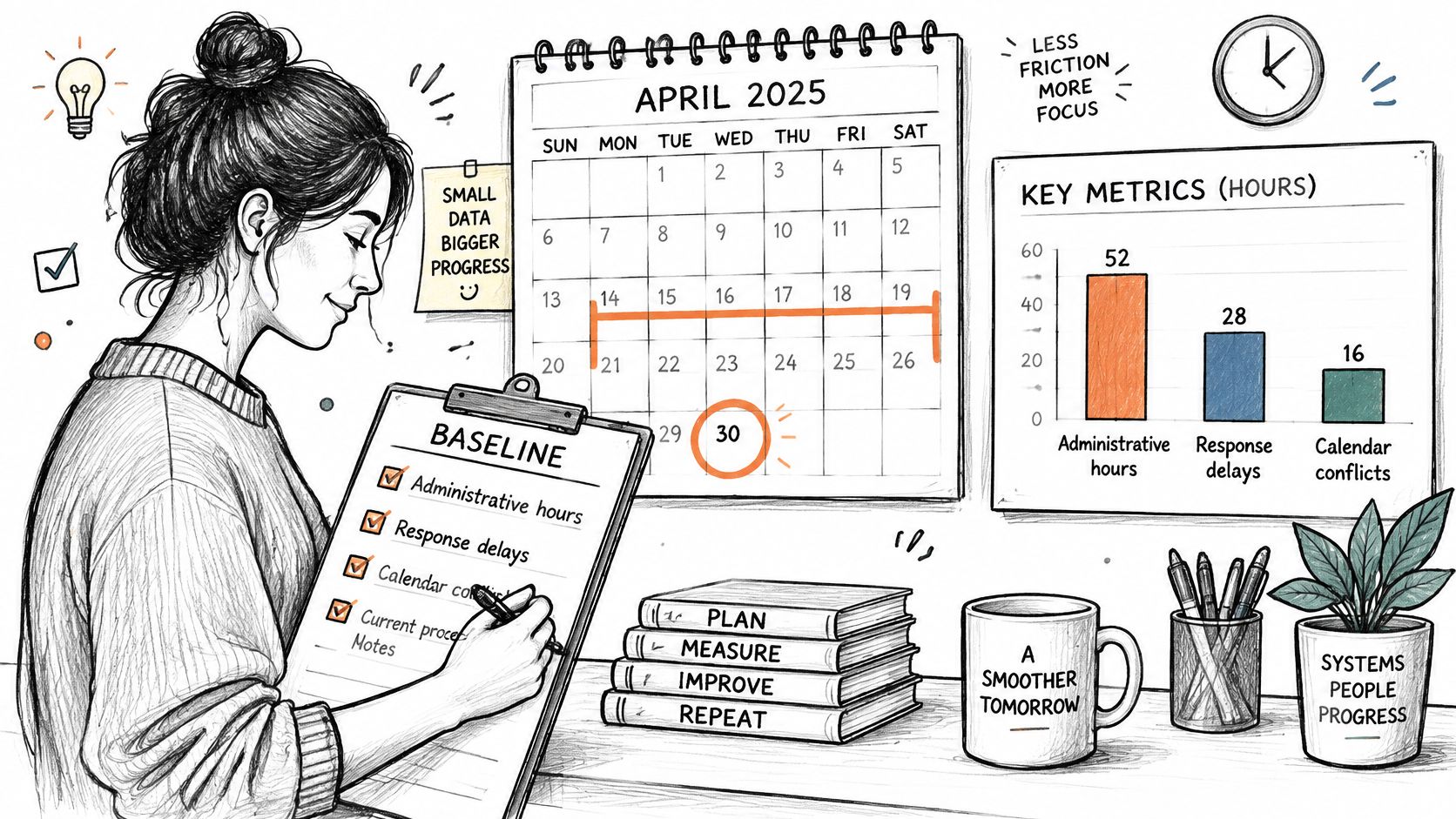
Metric | How to calculate it | Healthy signal |
|---|---|---|
Hours reclaimed per week | Baseline admin hours minus current admin hours | Steady gain after the first 30 days |
First-pass completion rate | Requests closed without clarification divided by total requests | Rising week over week |
Median turnaround time | Middle value of hours from request to completion | Stable or shrinking |
Clarification rate | Requests needing a follow-up question divided by total requests | Falling as the preference record grows |
Executive override rate | Requests you reverse or redo divided by total requests | Low; a high rate signals unclear rules |
Calendar-conflict rate | Conflicts found after booking divided by total bookings | Near zero |
A high override rate usually means preferences are fuzzy or authority is too wide. A high clarification rate means the intake was thin. Fix the rule, don't add more tasks.
The break-even check
Compare the monthly fee with recovered hours at your real rate. One cleared afternoon of three hours at $300 an hour is worth $900, against a $99.99 Lux Solo fee. Both Lux Solo and Lux Circle include travel, scheduling, errands, and research, so map your baseline categories onto those four services and ignore anything that doesn't show up on the log.
Start the baseline this week. When the two weeks are on paper, finish onboarding and send the first request from your handoff list.
Approved Lux Personal Assistant is a US-based Assistant team you can call, text, or email around the clock, built to close follow-ups and scheduling loops instead of adding another inbox. If your two-week log shows hours you shouldn't still be spending on coordination, visit Approved Lux Personal Assistant and send the first request against a written outcome.