Meeting Follow Up Email: Templates That Drive Action
Write a meeting follow up email that turns decisions into owned actions. Templates, subject lines, send timing and follow-up steps for busy professionals.
12 min read

Three people leave a Tuesday planning meeting. By Wednesday morning, one believes the launch slipped to October 15, the second is still building toward September 30, and the third is certain the revised brief belongs to someone else. Nobody misheard. Nobody is being careless. The meeting ended without a written record, so each person filled the gap with what they expected to hear.
That gap is the whole reason a meeting follow up email exists. Not to say thank you, not to prove you were present, but to turn a conversation into a dated record that survives the week. After enough of these recaps, the pattern is hard to miss: the ones that work are operational documents, and the ones that fail are polite summaries nobody can act on.
The difference comes down to structure, wording, and timing, and all three can be copied.
The Five Parts Every Follow-Up Email Needs
A recap rebuilt from scratch each time drifts. Five parts, always in the same order, keep it consistent and short enough to read on a phone.
Part | What It Contains | Example | Common Gap |
|---|---|---|---|
Purpose recap | One line on why the meeting happened | Vendor contract review, Thursday | Recipients cannot tell which meeting this is |
Decisions | Outcomes stated as settled facts | Launch moves to October 15 | Discussion gets recorded as a decision |
Actions | One owner, one deliverable, one calendar date | Priya sends revised brief to Jordan by Thursday, 5 p.m. | Shared ownership, or ASAP instead of a date |
Open questions | Unresolved items with who will answer | Pricing tier still open, Sam to confirm by Friday | Open items disappear from the record |
Next checkpoint | Date when the group reviews progress | Review call Monday, 10 a.m. | No reason for anyone to act before the next meeting |
Filled in for a real vendor review, the email looks like this:
Subject: Vendor contract review, Thursday: 2 decisions, 3 actionsDecision: Launch moves to October 15.Action: Priya sends the revised brief to Jordan by Thursday, 5 p.m.Open question: Pricing tier. Sam to confirm by Friday.Next checkpoint: Review call Monday, 10 a.m.
This isn't a formatting preference. The Chartered Institute of Personnel and Development's evidence review on productive meetings recommends that organizers follow up by sharing the meeting minutes, action points, and each participant's roles and responsibilities for achieving the agreed outcomes. That sets three requirements the email has to satisfy: preserve the decisions, assign ownership, and define the work required after the meeting.
Read the five parts against those requirements and the logic is clear. A decision recorded as an outcome survives. A decision buried inside "we had a good discussion about launch timing" does not. One named owner with one date creates an auditable handoff between the discussion and the execution, and it removes the need for anyone to reconstruct the agreement from memory three weeks later.
The practical test: could someone who missed the meeting act on this email alone? If they'd have to ask a clarifying question before starting work, the email isn't finished.
How to Write and Send the Email in Five Steps
The sequence below takes about twelve minutes once you have notes. Skipping step one is the most common reason a recap creates rework instead of removing it.
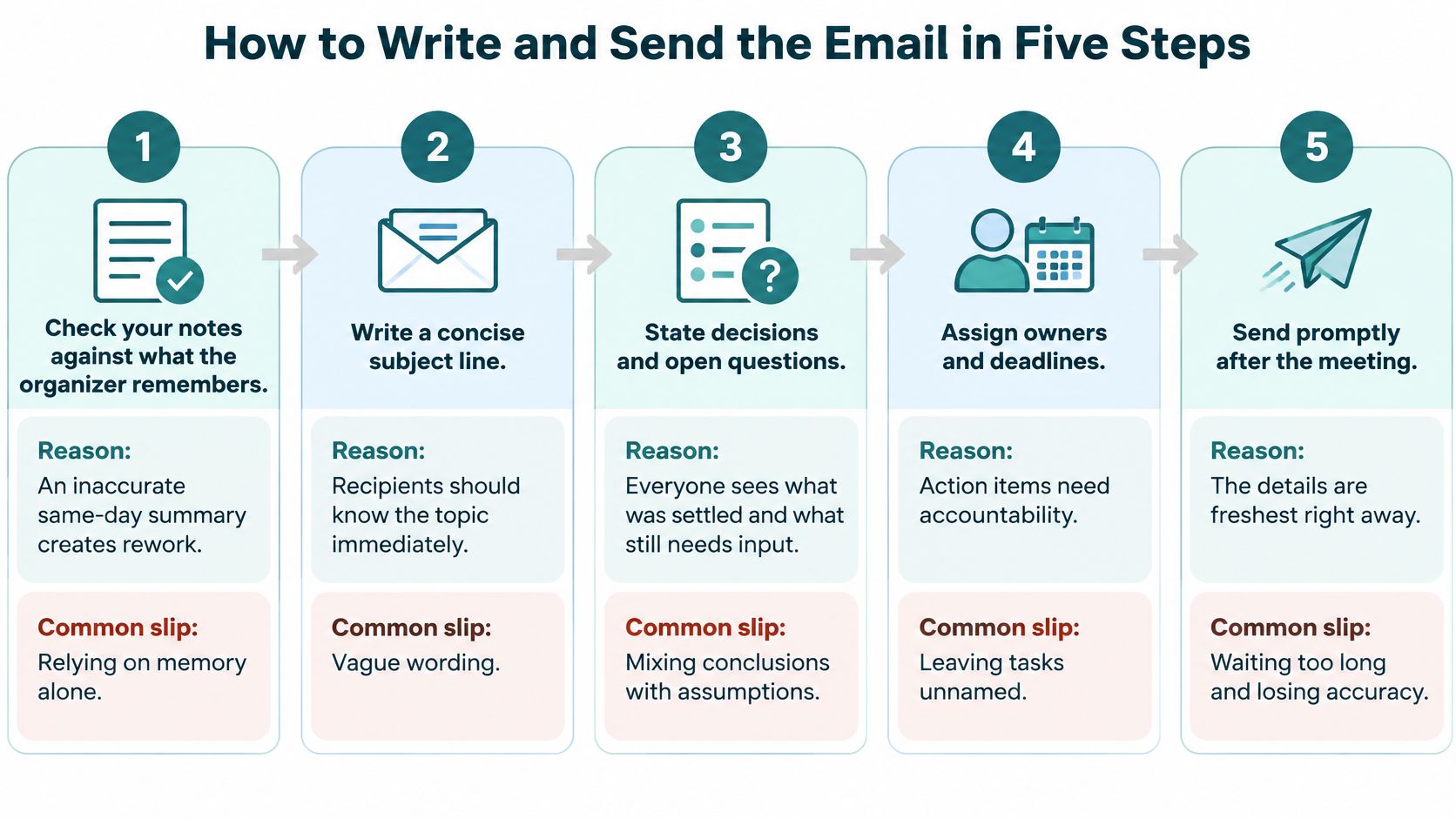
- Check your notes against the organizer's memory. A two-line message ("confirming: launch to October 15, Priya owns the brief, pricing still open") takes thirty seconds and catches the errors that a same-day summary would otherwise broadcast to eight people. An inaccurate recap produces duplicated effort and quiet non-compliance, because nobody wants to be the person who replies-all to correct the chief of staff.
- Sort everything into decisions, open questions, and actions. Drop any discussion that reached no outcome. Most recaps bloat at this stage, and the wording matters a great deal. Meeting-efficiency guidance draws the contrast sharply: "We decided to delay the Q3 launch by two weeks" is actionable, while "discussed launch timing" is not (Rock's guide to fixing inefficient meetings). The first commits. The second merely reports that words were spoken.
- Write each action as WHO, WHAT, WHEN. "Priya ships the revised brief by Thursday EOD" names the person, the deliverable, and the deadline. "Brief to be revised" leaves all three uncertain, which means it will be revised by nobody. Replace ASAP with a calendar date, and write what done looks like so the owner isn't guessing whether a two-line note or a full draft counts.
- Put one unmistakable ask in the first paragraph. Confirm a date, approve a decision, or send a specific document. One request, not three. When a recap asks for four things at once, recipients answer the easiest one and the rest expire.
- Send within 24 to 48 hours, ideally the next morning. This is the step people trade away when the week gets busy, and it's the one that decides whether the email reads as a follow-through or an archaeology exercise.
A finished email passes one check: any attendee can scan it and list their own tasks and dates in under thirty seconds.
Practical rule: if the recap needs a second paragraph to explain what you decided, the note-taking failed, not the writing.
Subject Lines That Get the Email Opened
The subject line does two jobs. It decides whether the email gets opened this hour or next month, and it makes the message findable when someone searches for it in six weeks. Most recaps fail the second job because they're titled "Following up," which is the email equivalent of a blank calendar entry.
Recipients triage before they open anything. A subject that names the meeting and signals the required response gets attention. A subject that hides both gets archived, and the decisions inside it go with it.
Situation | Subject Line Pattern | Example |
|---|---|---|
Recap with actions | Meeting name: decisions and actions | Vendor review: 2 decisions, 3 actions by Friday |
Decision needs approval | For approval: decision and date | For approval: pricing tier by Wednesday |
Reminder on overdue action | Action due date passed: task | Brief overdue since Thursday, need new date |
Item is blocked | Blocked: item and what is needed | Blocked: legal sign-off needed on contract |
No decision reached | Open question: topic and owner | Open question: launch timing, Sam to decide by Friday |
The patterns work because each one names the response required. "Blocked: legal sign-off needed on contract" tells the reader they must intervene. "Vendor review: 2 decisions, 3 actions by Friday" tells them there's a reading task and a deadline. Neither requires them to open the email to find out what's being asked, and that's the point.
Three labels are worth adopting in both the subject and the body: for approval, for awareness, and blocked. They tell recipients which lines need a reply and which are just record-keeping, which cuts the "do I need to do anything here?" email that otherwise follows.
Put a date in the subject when the action is time-bound. "Brief overdue since Thursday, need new date" does more work than three sentences of apology inside the message.
One discipline holds the rest together: promise only what the body delivers. If the email contains a single action, don't write "Several items need you." If you're replying inside an existing thread, the explanation of email reply headers shows how to keep that clarity without a trail of stale subjects, and these professional email writing tips cover the tone and structure once the subject has done its job.
The tiebreaker: when you're choosing between two subject lines, pick the one that tells the recipient what they must do.
When to Send Each Follow-Up and What Changes
Send the recap the same day or the next morning. Adobe recommends waiting 24 to 48 hours for general business communication (Adobe's guidance on follow-up emails), which keeps the discussion fresh while giving recipients room to respond. In practice, a next-morning send beats a same-evening one because it lands at the top of an inbox rather than under a day's worth of noise.
Touchpoint | Timing | Purpose | What Changes |
|---|---|---|---|
Recap | Same day or next morning, within 24-48 hours | Confirm decisions, owners and dates | Full summary with all actions |
Reminder | 2-3 business days later, if no reply | Nudge the owner without accusation | Restate the decision and offer two dates |
Final message | About 5-7 days after the recap | Close the loop or confirm a revised deadline | Say the item leaves the plan unless confirmed by a date |
Follow-ups carry real value, and the numbers from outreach make that concrete. A roundup of email benchmarks reports that a single follow-up can increase response rates by as much as 65.8% in a study of approximately 12 million emails (Lacleo's follow-up benchmark summary). Separately, Belkins reported that in its 2025 analysis of approximately 7.5 million B2B emails, follow-up messages generated 58.6% of all replies (SalesHive's follow-up email glossary). Those studies measure outreach, not internal recaps, so treat them as proof that a second message recovers value, not as a promised response rate for your action log.
Here's the cadence on a missed owner. Day zero: full recap, Sam down for the pricing tier by Friday. Day three: a reminder that restates the decision and hands over a choice. Day six: a close-out. Each message changes the offer, which is why none of them reads as nagging.
Hi Jordan, following up on the contract review actions. Sam still needs the pricing tier confirmed. Can you confirm Option A or Option B by Wednesday?
Hi Jordan, I'm moving the pricing item off the plan unless I hear back by Wednesday, 5 p.m. Reply with a new date and I'll update the log.
The cadence is a default, not a rule. If the owner has already confirmed, skip the reminder. When an executive is holding a time-bound decision, compress the whole sequence into three days. A recap that goes out on time and follows a meeting that was set up properly rarely needs the third message at all.
Follow-Ups After Meetings With No Decision
The call ends and the notes say "discuss launch timing." Nobody owns it. Nobody has a date. Constant meetings, emails, and chats already leave little uninterrupted focus time, so an email that only restates the discussion is another interruption on top of the one the meeting already caused.
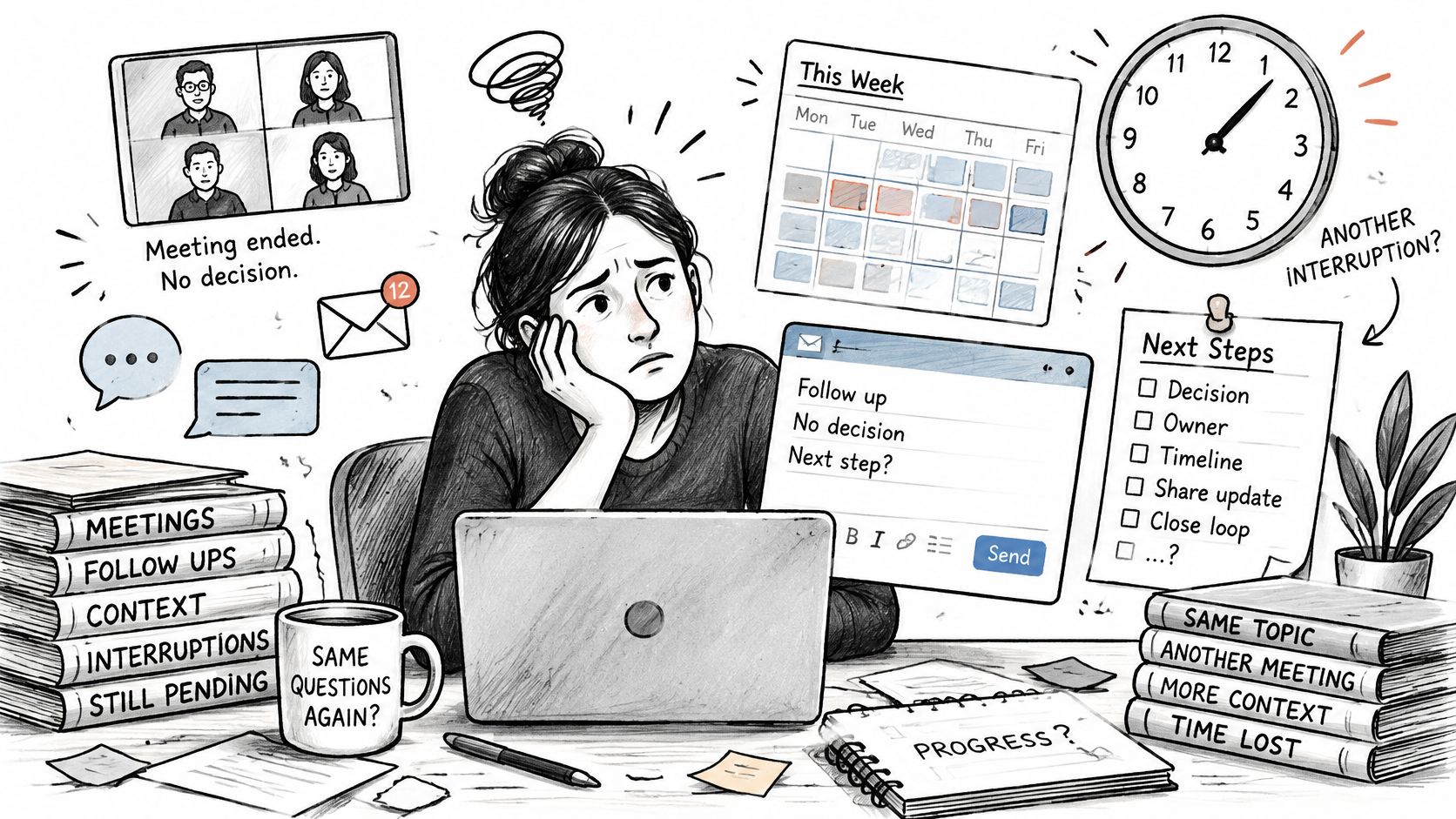
Treat the follow-up as an execution system. Its job is to close the ambiguity the room left open.
Three situations cover almost every hard recap. Each needs a different sentence.
No decision reached. Write the open question, name who decides, and set a date: "Open: launch timing. Sam decides by Friday." An open item with an owner and a deadline is a commitment. An open item without either is a topic someone will raise again next month.
Contested ownership. Propose one owner, give one reason, and ask for a yes or no by a date: "I'm proposing Priya owns the brief because she holds the vendor thread. Reply yes or no by Thursday." Listing three possible names sends the decision back to the group, and the group already failed to make it once.
Nudging an executive. Lead with the decision that depends on their input and offer two paths: "Confirm Option A or Option B by Thursday, since the contract can't move without your call." A choice is easier to answer than a complaint, and the cost of delay is visible without a lecture.
Speed is the instinct in all three cases. Hold it when the facts are soft. An inaccurate same-day summary creates rework and silent non-compliance, which costs more than a recap that lands four hours later and is right. When ownership is unclear, spend five minutes verifying with the organizer, then send. The 24 to 48 hour window still holds.
The same discipline applies when a team action needs a second nudge. run effective team check-ins keeps that nudge tied to a scheduled review rather than an arbitrary ping.
Every unresolved case should end with a stated consequence: "If I don't hear back by Thursday, I'll log this as open for next week's review." No accusation, no apology, just what happens next.
Track Owners and Deadlines Without Chasing
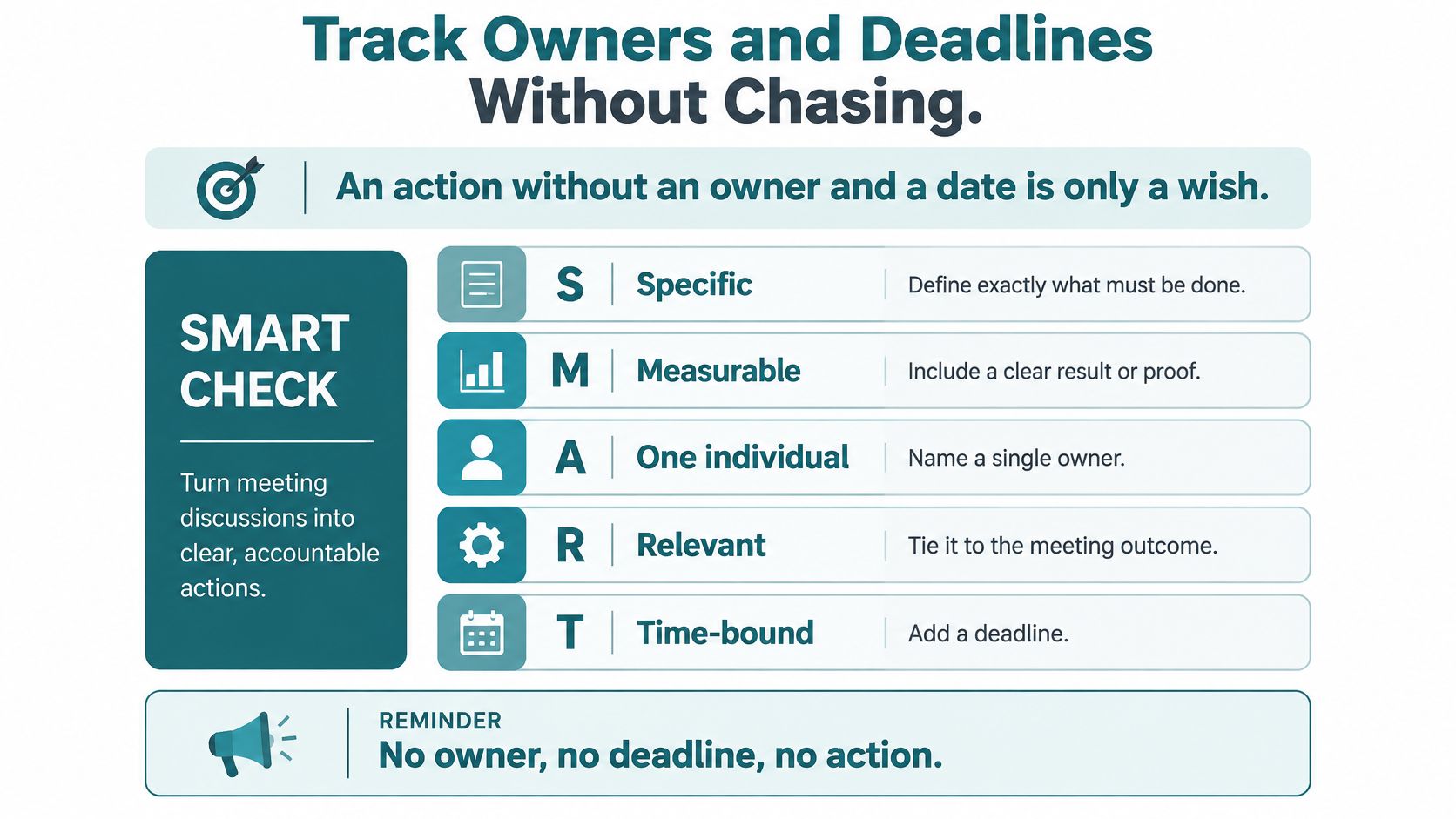
An action without a named owner and a calendar date is a wish with a verb attached. Meeting-notes guidance makes the point bluntly and recommends a SMART check: specific, measurable, assigned to one individual, relevant to the meeting outcome, and time-bound (the meeting notes template guide).
The rewrite is mechanical. "Team to work on the client proposal" becomes "Priya sends the first draft of the client proposal to Jordan by Thursday, 5 p.m." One action verb, one accountable person, a defined finish, and a date that appears on a calendar.
Then keep one shared log with a row per action, fed by every meeting rather than only the important ones.
Action | Owner | Due date | Status | Next reminder |
|---|---|---|---|---|
Priya sends revised brief to Jordan | Priya | Thursday, 5 p.m. | In progress | Friday, 9 a.m. |
Pricing tier decision | Sam | Friday | Open | Monday, 9 a.m. |
Legal sign-off on contract | Jordan | Wednesday | Blocked | Thursday, 9 a.m. |
A ten-minute weekly review does the rest. Sort by due date, mark anything overdue, and for each overdue row either send a reminder or move the item onto the next meeting's agenda. That second option matters: some actions don't deserve a chase, they deserve a decision to drop them. For a deeper routine on keeping deadlines visible across a busy week, the same sorting logic applies.
Before any reminder goes out, run four checks:
- Is the due date still correct? A date that moved but never got updated makes you look like you weren't paying attention.
- Has the owner already replied? Check the thread before the log.
- Is the status current? A row stuck on "in progress" for two weeks is really "blocked."
- Does the reminder offer a new date rather than restating the old one?
The log can sit with you or with a delegated Assistant, working from the shared file and the meeting notes. Ours never log into a member's email or calendar, and members' accounts stay under the members' control, so the record stays yours. For more on action item tracking and meeting accountability, the fundamentals are the same whether one person or a team keeps the list.
Send Your Follow-Up Within 24 Hours
One habit makes everything above stick: draft the recap before you send the calendar invite for the next session. It forces the decisions and owners to be fixed while everyone is still in the room, and it removes the excuse that there was no time afterward.
The checklist before each send:
- Verified: the notes were checked against the organizer's memory.
- Owned: every action has one person and one date.
- Focused: exactly one ask sits in the first paragraph.
- Signposted: the subject names the response needed.
- Scheduled: the reminder is set for two to three business days after the recap.
When recaps keep slipping during busy weeks, the Approved Lux Personal Assistant service can draft them from your meeting notes and keep the action log current for your review. Members reach the team by call, text, or email at any hour of the year, all three channels monitored at equal priority, and joining starts with a quick onboarding before a first request goes out.
A recap that lands on time with one owner and one date per action is the difference between a meeting that produced decisions and a meeting everyone remembers differently. Approved Lux Personal Assistant gives you a US-based Assistant team that can draft meeting follow up emails from your notes, keep the action log current, and flag items before they go overdue, all while your email and calendar stay under your control. Lux Solo is $99.99/month for one person, and Lux Circle is $299.00/month for up to four people sharing an account and one set of context. Visit Approved Lux Personal Assistant to see which plan matches the way you work.